article
How I Passed the CKA Exam With 93% on My First Attempt
Why I Am Writing This Article
If you search for CKA exam preparation stories online, you will find that there are a lot of reports out there. Some of them can make the exam feel very intimidating, especially If you are new to Kubernetes like me.
In this blog, I want to share the resources I used, how I prepared and what helped me pass the exam with high score on first attempt !
It took me around 2 months to earn the certificate. One month for studying the concepts and another month for hands-on practice and exam preparation.
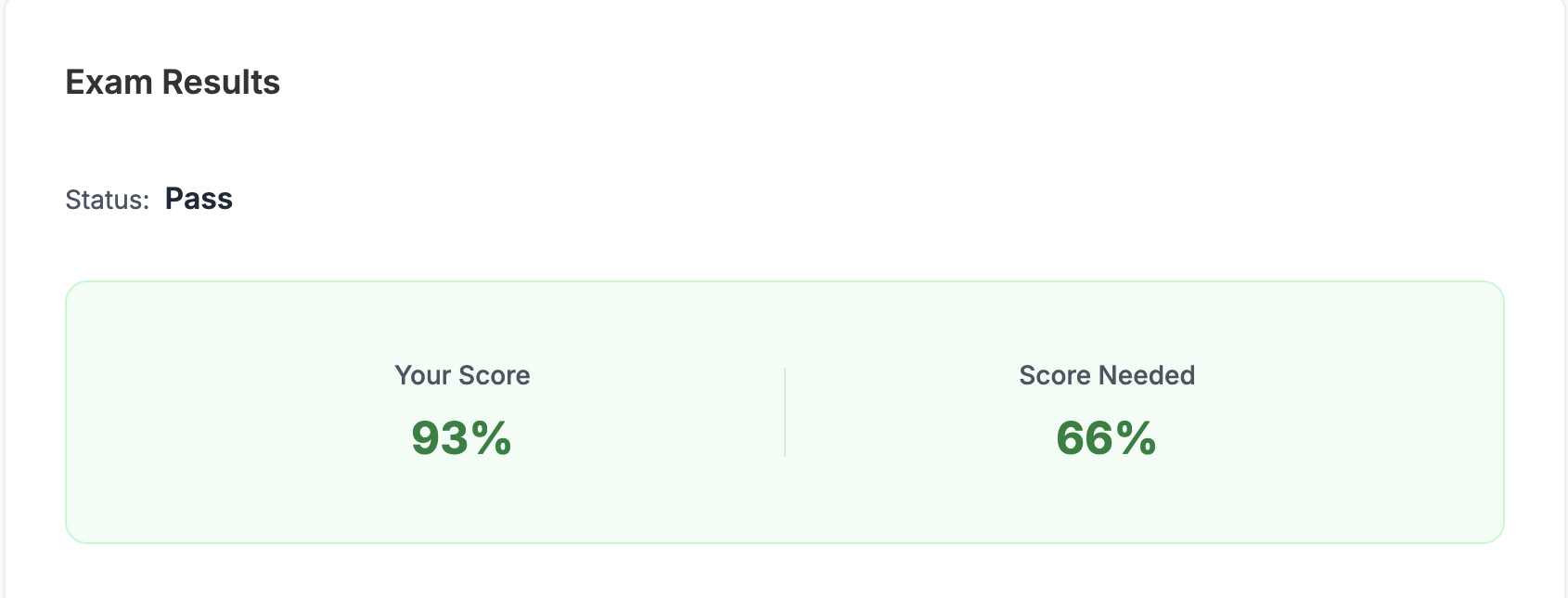
Exam Results
I scored 93 out of 100 on my first attempt. It felt really great and this achievement motivates me a lot, especially because I come from a SE background.
Topics you should Be Comfortable With
Exam questions can look tricky at first glance. But, if you are comfortable with key areas below, trust me, you can approach the exam with much more confidence.
Workloads & Scheduling
- Deployments, ReplicaSets, StatefulSets, DaemonSets, StaticPods, Multi-Container Pod
- Pod Security
- Troubleshooting kubelet, kube-scheduler, and API server failures
- Kustomize and Helm
- TLS Certificates
- RBAC: Roles, ClusterRoles, RoleBindings, ClusterRoleBindings, and ServiceAccounts
- Taints & Tolerations
- Pod affinity, node affinity, and anti-affinity
- Horizontal Pod Autoscaler
- PriorityClasses
- Resource requests and limits
Do not avoid practicing Helm. It is worth spending time on.
Storage
- Ephemeral Volumes and PersistentVolumes
- PersistentVolumeClaims
- Secrets and ConfigMaps
- StorageClass
- Static and dynamic provisioning
Services & Networking
- Network Policy
- Ingress, Gateway and HttpRoute
- CoreDNS
- Network Policy
- Services: LoadBalancer, NodePort and ClusterIP
Cluster Architecture, Installation & Configuration
- etcd backup and restore
- CNI installation
- Cluster and components Upgrade
- Certificate renewal
- kubeadm
- kubectl configuration
Utility Skills
- Reading documentation efficiently ***
- JsonPath
- JsonPatch
- kubectl run
- kubectl apply
- Dry runs
- Sorting output
Learning Resources I Used (Super Helpful)
Mumshad Mannambeth’s CKA Course
I studied Kubernetes using Mumshad Mannambeth’s Udemy Course, Certified Kubernetes Administrator (CKA) with Practice Tests. This course covers CKA domains and competencies outlined by Linux Foundation and CNCF. You also get hands-on practice through KodeKloud labs while taking the course. At the final stage, the course includes mock exams, which are very useful for exam preparation.
Course Link
KillerCoda
KillerCoda has many free CKA scenarios that you can use for hands-on practice. Many professionals have created scenario-based labs there, and I found them very helpful for the real exam.
I practiced these scenarios multiple times. Honestly, repeating them again and again was one of the biggest reasons I scored 93%.
Useful KillerCoda resources:
- https://killercoda.com/cka-lab
- https://killercoda.com/cka-mock-practice
- https://killercoda.com/neo-lab/course/scenarios
- https://killercoda.com/chadmcrowell/course/cka
- https://killercoda.com/sachin/course/CKA
- https://killercoda.com/helm-scenarios
- https://killercoda.com/jerdlmrh
Killer.sh
After you schedule and book the CKA exam, you get access to two killer.sh mock exams: Scenario A and Scenario B.
Each scenario gives you 36 hours of access after you unlock it. The two scenarios are different from each other, and the difficulty level is very close to the actual exam.
The killer.sh environment is also very similar to the real exam environment, so it is a great way to become familiar with the setup before exam day.
I scored over 90% on both killer.sh scenarios before taking the real exam.
My Tips
Practice on KodeKloud labs and KillerCoda again and again until you are comfortable with the concepts and commands. Once you feel confident, then take the killer.sh mock exams.
You should also practice using the exam environment. In the real exam, you will use the PSI browser and a virtual environment, so you should be comfortable copying and pasting between the browser and terminal.
Useful shortcuts:
In the terminal, use Ctrl + Shift + C to copy.
In the terminal, use Ctrl + Shift + V to paste.

From the browser, use Ctrl + C to copy.
Then use Ctrl + Shift + V to paste into the terminal.
Last but not least, learn to use Vim efficiently. It can save you a lot of time during the exam.
Good luck with your CKA preparation!